The window shortcuts Windows never had.
Same-app cycling, one-key snapping, mouse navigation. One tray daemon.
- < 1 MB Rust daemon · < 5 MB memory
- GPL-3.0, free
- No account, no analytics
Startup integration and multi-monitor spatial settings.
Click any shortcut button to record physical key combinations directly. Every action Wira Desk can trigger lives here.
Driverless desktop multitasking with auxiliary mouse buttons and tilt wheel.
Applications that receive raw, unintercepted keystroke passthrough.
Keystrokes are passed directly to these virtualization guests and remote sessions:
- mstsc.exe
- vmconnect.exe
- vmware.exe
- VirtualBoxVM.exe
- MobaXterm.exe
- VMwareUnityWindow
Same-app window cycling, one-key snapping, and mouse button mapping for Windows 11.
Free software under the GNU General Public License v3.0 only.
Full terms: LICENSE.txt in the install folder.
Third-party components and their licenses: NOTICE.txt in the install folder.
Questions: support@wiradelta.com
Security reports: GitHub Security Advisories on the repository
Stages clean-install factory defaults for every section. No configuration file on disk, scheduled task, or running daemon will change until you choose Save Changes.
Four jobs. One resident process.
Each of these normally costs you a separate tray icon, a background vendor suite, or a complex editor. Here they share one daemon, one config file, and under 5 MB of memory.
Instant same-app cycling
Win+` walks only through the windows of the app in front, on the monitor and virtual desktop you are on.
Windows has no built-in same-app window cycling. PowerToys, a separate download from Microsoft, added Window Hopper in 0.101, off by default.
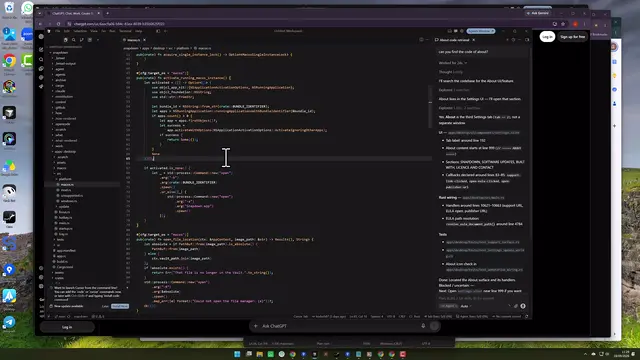
Visual window switcher
Hold Win+` (default 300 ms) and an overlay opens with a live thumbnail of each window, from every monitor on this desktop. Select with the arrow keys or the mouse, then release the shortcut to switch.
Tap to switch straight away, or hold when you want to see which window you are about to land on.
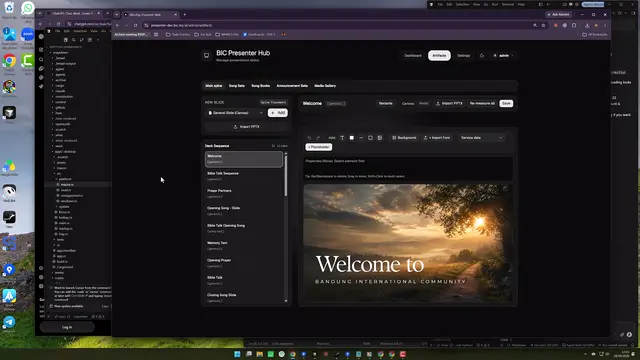
Driverless mouse navigation
Thumb buttons switch Virtual Desktops; tilt wheel toggles Task View or Desktop. Handled straight off standard Win32 mouse events (WM_XBUTTONDOWN & WM_MOUSEHWHEEL): no vendor software, no background bloat, any mouse.
Four physical inputs, twenty actions to bind them to, passthrough included. Bounces on tilt wheels are filtered by a 150 ms gate and a 400 ms quiet period.
One-key screen snapping
Snap left, right, top or bottom at 50%, to any third, to your own percentage per edge (by default 67% for left, right and bottom, 33% for top), maximize, or move to the next monitor, each on its own key instead of a drag or a menu.
If you run PowerToys only for FancyZones, this covers halves, thirds and your own percentages with no zone editor to set up. Multi-monitor and mixed-DPI setups run through the same code path.
Every Shortcut, on the Keyboard or the Mouse
Everything here can be rebound, and every one of them can be switched off on its own, including the cycling key, the one most likely to collide with something you already use.
Keyboard
Mouse
Out of the box these four run Windows’ own actions: the ones your thumb already expects. Any of Wira Desk’s actions can take their place instead: cycling, every snap, maximize, move to the next monitor. Twenty choices in all, including passthrough, which hands the button back to Windows untouched.
Standard HID input: no vendor driver, no configuration app.
The Details That Decide the First Week
The parts that decide whether a utility survives its first week on your machine.
Turn any shortcut off
Not just rebind: off. The shortcut leaves the keyboard hook entirely, so it reaches whatever app is focused exactly as if Wira Desk were not installed. The stored shortcut is kept for when you want it back.
A second cycling key
Alt+` is there for the machine where the primary one collides with something you already use. Both can be rebound, and either can be switched off.
Collisions are reported
Bind two actions to the same shortcut and you are told which one keeps it, rather than finding out later that one of them quietly stopped working.
Multi-monitor and mixed DPI
A 4K screen next to a 1080p one is the ordinary case, not a special path. Every snap reads the per-monitor DPI, including the move-to-next-monitor shortcut, which reads the DPI of where the window is going.
Exceptions for VMs and remote sessions
Inside a VM or an RDP window the guest wants the keys, not the host. Name those windows once and the daemon lets their shortcuts straight through.
A portable build
One zip, two executables, no installer, no registry writes. Put them in a folder only administrators can write, and run wiradesk.exe as Administrator. Auto-start and updates are then yours to manage.
Hold it, and you get to look
Tap the cycling key and it just moves. Hold it past the delay, 300 ms by default and adjustable from 100 to 500 ms, and an overlay opens carrying a live thumbnail of every window that app has: arrows to move the selection, release to commit, Escape to back out, or reach over and click one. On by default, and the overlay can be switched off entirely.
An update check you can switch off
One HTTPS request to wiradelta.com, about two minutes after start and then once a day. It carries the product name, the Wira Desk version, the Windows version and the architecture, and no computer name, user name or device ID. Switch it off in Settings and it stops.
One config file, plain text
Everything the Settings app writes lands in one readable config.toml. Edit it by hand, put it in a dotfiles repo, or copy it to the next machine. See the config file.
If You Only Need Part of PowerToys
PowerToys bundles many utilities so you can use one; a vendor suite runs in the background so you can remap two buttons. Fine trades, if they are the trades you meant to make.
Two Reasons to Install the Other One Instead
Go with PowerToys if
- your layouts are drawn, not chosen: different zones per monitor, or per app
- you already open three or four of its other utilities
Go with a vendor suite if
- you want per-device profiles, on-board memory, gesture buttons or DPI switching
- the mouse is the point, and you are staying on that brand
Wira Desk was built for the small case, not as a cheap version of the large one.
Get Wira Desk
Three ways in: the installer, Scoop, or the portable zip; winget is coming soon. The installer needs Administrator, because the daemon installs a keyboard hook and activates windows across integrity levels, and a directory only administrators can write is what protects it.
Direct download
Package manager
winget
Coming soon
Scoop
scoop bucket add wiradesk https://github.com/wiradeltaid/scoop-wiradesk
scoop install wiradeskBefore you install
What the first run does
A short setup runs the first time you open Settings. Its last screen asks whether the daemon should start with Windows, with the box already ticked. Finishing the setup without touching it turns auto-start on, so treat it as opt-out, not opt-in. One click clears it, and skipping the setup on the first screen never registers anything.
Auto-start is a Task Scheduler entry that launches the daemon elevated at every logon, with no UAC prompt. That is exactly why the installer insists on a directory only administrators can write: whoever can overwrite that file would inherit the same silent elevation. The daemon warns you if it ever finds itself auto-starting from a folder a non-administrator can write to.
Which machines this runs on
Intel and AMD (x64): the tested case, and what the binaries are built for.
ARM64 (Snapdragon and other Copilot+ machines): the installer accepts
them. It declares ArchitecturesAllowed=x64compatible, so Windows runs the
x64 build under its own emulation. There is no native ARM64 build, and this project has
not tested that path on real hardware, so it is offered, not promised.
32-bit: not a case that exists here. Windows 11 has no 32-bit edition, and this is a Windows 11 tool. A 32-bit Windows 10 machine is outside what it targets.
Windows will show an unverified publisher
Binaries are not code-signed. SmartScreen will say “Windows protected your PC” and UAC
will show an unknown publisher. Choose More info → Run anyway, or check the
published SHA256SUMS first. That is the real check, and the one this
project would ask for. Building from source is the strongest verification available today.
How to check the download.
What leaves the machine: no analytics, no crash reporting, no account, no
device ID. Two things use the network: the update check, which goes to our server at
wiradelta.com, and the installer download from GitHub, which happens only when
you ask for it. The update check carries the product name, the Wira Desk version, the Windows
version and the architecture, and can be switched off. The keyboard hook matches configured
shortcuts and records none of what you type.
Tip the studio
Free whether or not you do this. A tip goes to the studio that makes it. Wira Desk is GPL-3.0: no paid tier, no gated feature, nothing to upgrade to. A tip does not buy priority support.